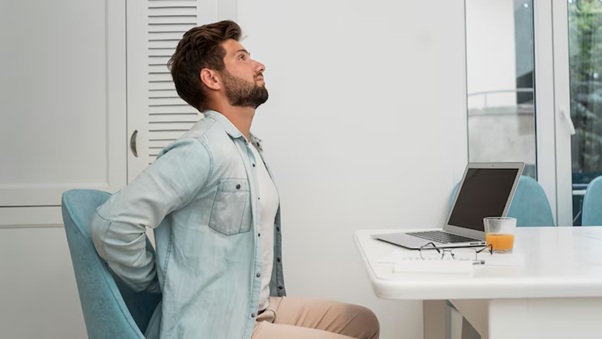
Working from a laptop might feel convenient, but poor ergonomics and long hours in a seated position often lead to one thing: back pain. Whether you’re working from home or at the office, if you’ve noticed stiffness, soreness, or postural fatigue creeping in, you’re not alone. This blog covers simple ways to self-assess and how seeing a chiropractor near me can offer lasting relief and restore mobility.
Why Laptop Use Leads to Pain
Laptops encourage a hunched-forward posture. Unlike a desktop monitor setup, a laptop’s screen is too low, and the keyboard is too close. This leads to:
- Rounded shoulders
- Forward head position
- Slouched lower back
- Tight hips and hamstrings
- Compressed spine and reduced circulation
Over time, this can cause muscle fatigue, joint stiffness, nerve irritation, and even tension headaches.
How to Self-Test for Postural Strain

If you’re unsure whether your laptop is to blame, try these quick self-assessments:
- Wall Test:
Stand against a wall with your heels, bum, and shoulder blades touching. Can the back of your head comfortably reach the wall? If not, you may have a forward head posture.
- Shoulder Drop Test:
While sitting, relax your shoulders and look in the mirror. Are they level? If one is significantly lower, you may be compensating for pain or tension.
- Desk Reach Test:
Sitting upright, try typing without leaning forward. If your shoulders rise or your neck strains, your setup may be too low or too far.
What a Chiropractor Can Do
A local chiropractor near me can assess your posture, identify spinal misalignments or muscular imbalances, and tailor a treatment plan to relieve pain and improve function. At Limestone Natural Therapies, our chiropractic care focuses on:
- Spinal adjustments to restore alignment
- Postural retraining
- Targeted soft tissue work
- Stretches and strengthening exercises
- Ergonomic recommendations to fit your space
Treatment is gentle, precise, and designed to help your body feel and function better, not just temporarily mask the pain.
Quick At-Home Fixes to Try Now
While professional care is the best long-term solution, here are some practical steps to help relieve laptop-related pain:
- Raise your screen using a laptop stand or stack of books
- Use an external keyboard and mouse to prevent shoulder strain
- Take movement breaks every 30–45 minutes
- Stretch your chest and upper back regularly
- Try the seated pelvic tilt to activate your core and support your spine
Pain Doesn’t Have to Be Part of Your Workday
We’re here to support you if you’re searching for a chiropractor near me to help ease laptop-related back pain. At Limestone Natural Therapies, we’re experts in spinal alignment and postural correction, helping you feel better at your desk and beyond.
Call us today on (07) 3202 1731
Email: admin@limestonenaturaltherapies.com.au
Let’s get your body back in balance—naturally.